Cashkr Logo
Sell Mobile
  • Apple
  • Samsung
  • Google
  • OnePlus
Sell Tablet
  • iPad
  • Samsung
  • Lenovo Tab
Sell Laptop
  • Dell
  • HP
  • Lenovo
Sell Mac
  • iMac
  • Mac Studio
  • Mac Mini
  • Macbook Pro
CorporateCalculatorArticlesReferralPartner
hero

Get the Cashkr app for the best experience

OPEN APP
Cashkr Logo

Popular Searches

  • Apple iPhone 13
  • iPad Pro 11-inch Wi-Fi 2020
  • OnePlus Pad Go LTE
  • Mac mini M1
  • MacBook Air M2
  • iMac Retina 5K 27-inch 2017
  • HP Victus
  • Dell Latitude
  • Lenovo Legion

Loading....

logo |

Cashkr - India’s Most Trusted Gadget Selling Platform

BigBold Technologies Pvt Ltd 5th Floor, Tandice 69, 507, Gundavali, Andheri East, Mumbai, Maharashtra 400093, India

© 2026 Cashkr Pvt. Ltd.— All Rights Reserved

CIN: U47912MH2025PTC447159 ISO Certified Registered Under Govt. of India

Check if Cashkr is right for you?

Company

  • About Us
  • Corporate Buyback
  • Partner with us
  • Price Calculator
  • Refer & Earn
  • Guides

Services

  • Mobile Phones
  • Tablets/iPads
  • Laptops
  • MacBook/iMac

Help & Support

  • Indemnity Form
  • Privacy Policy
  • Terms of Use
  • Cookie Policy
  • Sitemap

Life at Cashkr

  • Explore With Cashkr
  • Cashkr News
  • Cashables
  • Coupons
💚 Sell Your Device Faster on the Cashkr App
Download on App StoreGet it on Google Play

** All trademarks, logos, and brand identities are the property of their respective owners. Any company names, logos, product names, and service names mentioned on this website are solely for identification purposes. The use of such trademarks, logos, and brand identities does not constitute or imply any endorsement.

  • Search Results
  • No Result Found
HomeArticlesHow Do I Delete a Contact From WhatsApp? Guide for 2026
How To

How Do I Delete a Contact From WhatsApp? Guide for 2026

Learn how to delete a contact from WhatsApp with this simple step-by-step guide

Y

Yaskar Jung Shah

Senior Tech Writer

Mar 27, 2026
|
9 min read
|
22 views
|
How Do I Delete a Contact From WhatsApp? Guide for 2026

Key Takeaways

Learn how to delete a contact from WhatsApp with this simple step-by-step guide

Explain with :ChatGPTClaudePerplexityGeminiGrok
Advertisement

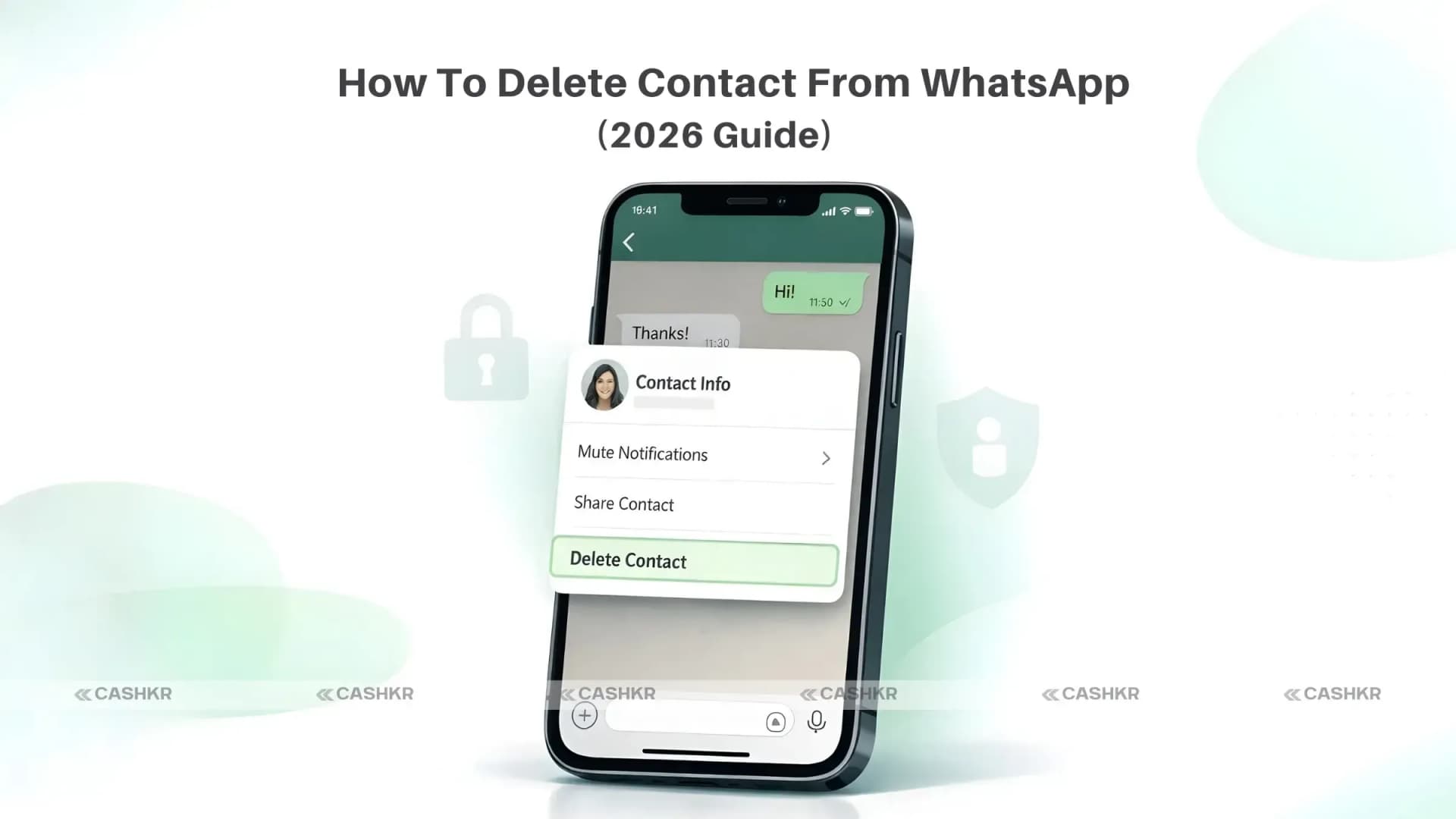
How Do I Delete a Contact From WhatsApp? (Step-by-Step Guide for 2026)

If you’re searching “How do I delete a contact from WhatsApp?”, you’re not alone. Over time, we save delivery agents, temporary colleagues, service providers, and random numbers, and later we realize they’re still viewing our WhatsApp stories.
If your contact list feels messy or you want better privacy control, this guide will help you understand how to delete contacts from WhatsApp properly on Android and iPhone.

Important: Things to Know Before You Delete a WhatsApp Contact

Before answering how to delete a contact from WhatsApp, you need to understand one key point:
WhatsApp does not have its contact list. It pulls contacts directly from your phone’s address book.
So when you delete a contact from WhatsApp, you are actually deleting that number from your phone contacts too.
Here’s what happens:
  • The contact name disappears from your phone.
  • They can still message or call you.
  • You’ll see only their phone number instead of their saved name.
Advertisement
Recommended for you
How To
Y

Yaskar Jung Shah

Senior Tech Writer

Yaskar Jung Shahis a technology enthusiast with over 5 years of experience covering AI, machine learning, and has contributed to major tech publications worldwide. He holds a Master's Degree in Computer Science from leading institutions.


Follow Us

Related Articles

Check Phone Resale Value

How to Check Your Phone Resale Value Before Selling Online

Oct 6, 2025
1 min read
MacBook Resale Value Calculator

MacBook Resale Value Calculator: Get the Best Price Online

Oct 7, 2025
1 min read
Recycle Old Electronics

How to Recycle Old Devices in India & Get Paid

Sep 22, 2025
1 min read
  • Old chats remain unless you delete them manually.
  • Delete vs Block vs Mute

    DeleteRemoves contact from phone
    BlockStops them from messaging or calling
    MuteStops notifications only
    If someone is disturbing you, blocking is better than deleting.

    How Do I Delete a Contact From WhatsApp on Android?

    If you’re using Android, follow these steps:

    Step 1:

    Open WhatsApp.

    Step 2:

    Go to the Chats tab.

    Step 3:

    Use the search bar to find the contact.

    Step 4:

    Open the chat and tap the contact’s name at the top.

    Step 5:

    Tap the three dots (⋮) in the top-right corner.

    Step 6:

    Select View in address book or Edit contact.
     

    Delete WhatsApp Contact on Android

    Also Read: iPhone 17e Geekbench Leak: Why the Scores Confuse Users

    Step 7:

    Tap Delete Contact and confirm.
    That’s it. This answers your question: How do I delete a contact from WhatsApp on Android?
    If the name still shows temporarily:
    • Go to Chats
    • Tap the new chat icon.
    • Tap menu
    • Select Refresh

    How Do I Delete a Contact From WhatsApp on iPhone?

    If you're using an iPhone, here’s how:

    Step 1:

    Open WhatsApp and go to Chats.

    Step 2:

    Search for the contact.

    Step 3:

    Tap the chat → Tap the contact name at the top.

    Step 4:

    Tap Edit (top-right corner).

    Step 5:

    Scroll down and tap Delete Contact.

    Step 6:

    Confirm deletion.
    Now you know how do I delete a contact from WhatsApp on iPhone easily.

    Delete WhatsApp Contact on iPhone

    Also Read: Vivo X300 Ultra India Launch: Specs, Camera & Battery

    What Happens After You Delete a Contact?

    After deleting:
    • Contact disappears from phone and WhatsApp
    • Old chat remains
    • They can still message you
    • You see only their number
    • They are not notified
    • They can still see your profile photo/status (depending on privacy settings)
    If you want stronger privacy control:
    Go to:
    WhatsApp → Settings → Privacy → Choose “My Contacts” or “Nobody.”

    How to Completely Remove Someone From WhatsApp

    If your concern is privacy and not just cleaning contacts, follow this:
    1. Delete the contact.
    2. Delete chat history.
    3. Block the number.
    4. Adjust privacy settings.
    This ensures they cannot:
    • Message you
    • Call you
    • View your profile picture.
    • See your status updates.

    Common Questions About Deleting Contacts

    Why does the deleted contact still message me?

    Deleting removes their number, not communication. Block them if needed.

    Will they know I deleted them?

    No. WhatsApp does not notify anyone.

    Can I recover a deleted contact?

    Yes. Just save their number again.

    Final Thoughts

    If you were asking, “How do I delete a contact from WhatsApp?”, now you have the complete answer for both Android and iPhone in 2026.
    Deleting contacts helps:
    • Keep WhatsApp clean
    • Protect your privacy
    • Avoid unnecessary story viewers.
    • Reduce clutter
    It’s a small step but it gives you better control over your digital space. Please take a few minutes today to tidy up your contact list. Your privacy deserves it.

    FAQs

    1. How Do I Delete Multiple Contacts from WhatsApp?

    WhatsApp does not offer a direct way to delete multiple contacts simultaneously. You need to delete the contacts one by one, following the steps outlined for Android or iPhone. Go to your phone’s address book for faster multi-contact deletion.

    2. Can I Undo a Contact Deletion?

    There is no "undo" button for contact deletion on WhatsApp. However, you can easily add the contact back to your phone's address book if you have their phone number. Once added, the contact will re-sync with WhatsApp and appear in your contact list again.

    3. Do I Need to Delete Chats After Deleting Contacts?

    Deleting the contact doesn't automatically delete chat histories. If you want to remove all traces of your conversations with the contact, you'll need to delete the contact chat manually. This ensures that no past messages or media are accessible within WhatsApp.

    4. Is There a Limit to How Many Contacts I Can Delete?

    WhatsApp does not impose a limit on how many contacts you can delete. You can delete as many contacts as you need from your phone, provided you follow the standard deletion process on your device.

    5. How Do I Add a Contact Again After Deletion?

    To add a contact again after deleting them, open your phone’s address book and add new contacts with their phone number. Once saved, the contact will automatically sync with WhatsApp and reappear in your contact list.

    6. What If I Accidentally Delete the Wrong Contact?

    If you accidentally delete the wrong contact, don't panic. As long as you remember their phone number, you can add them back to your phone’s address book, and they will reappear in your WhatsApp contact list after the sync.

    7. Are Deleted Contacts Permanently Gone?

    Deleted contacts are not permanently gone unless you also delete the contact's information from your phone’s address book. Even after deleting them from WhatsApp, their phone number may still exist in your call logs or message history.

    8. How Does Deleting a Contact Affect Group Chats?

    Deleting the contact has minimal impact on group chats. The contact will remain a participant in any existing group chats you share until they leave or are removed by an admin. Their messages will still be visible in those group chats.

    9. Can I Block a Contact Instead of Deleting?

    Yes, you can block a contact instead of deleting them. Blocked contacts will not be able to message or call you on WhatsApp. Blocking offers a higher level of privacy, as it prevents all communication without deleting it.

    10. What Should I Do If I Can’t Find a Contact to Delete?

    If you can't find a specific contact to delete, ensure that the contact is saved in your phone’s address book and that WhatsApp has permission to access your phone contacts. You may need to refresh your contact list in WhatsApp to keep it up-to-date.
     
    If you want to sell your old devices, then click here.
    Contents
    • How Do I Delete a Contact From WhatsApp? (Step-by-Step Guide for 2026)
      • Important: Things to Know Before You Delete a WhatsApp Contact
      • How Do I Delete a Contact From WhatsApp on Android?
      • How Do I Delete a Contact From WhatsApp on iPhone?
      • What Happens After You Delete a Contact?
      • How to Completely Remove Someone From WhatsApp
      • Common Questions About Deleting Contacts
      • Final Thoughts
      • FAQs

    Table of Contents

    • How Do I Delete a Contact From WhatsApp? (Step-by-Step Guide for 2026)
      • Important: Things to Know Before You Delete a WhatsApp Contact
      • How Do I Delete a Contact From WhatsApp on Android?
      • How Do I Delete a Contact From WhatsApp on iPhone?
      • What Happens After You Delete a Contact?
      • How to Completely Remove Someone From WhatsApp
      • Common Questions About Deleting Contacts
      • Final Thoughts
      • FAQs
    Advertisement
    Advertisement

    Stay Updated

    Get the latest tech insights delivered weekly.

    Sponsored

    Trending Now

    01

    How to Check Your Phone Resale Value Before Selling Online

    Oct 6, 2025
    02

    MacBook Resale Value Calculator: Get the Best Price Online

    Oct 7, 2025
    03

    How to Recycle Old Devices in India & Get Paid

    Sep 22, 2025
    04

    Cashkr Old Phone Price Calculator | Check Phone Value Instantly

    Sep 23, 2025
    05

    Top 10 Latest Acer Laptops Models 2025: Features & Specs

    Nov 10, 2025

    Trending Now

    Check Phone Resale Value

    How to Check Your Phone Resale Value Before Selling Online

    1 min read
    MacBook Resale Value Calculator

    MacBook Resale Value Calculator: Get the Best Price Online

    1 min read
    Recycle Old Electronics

    How to Recycle Old Devices in India & Get Paid

    1 min read
    Cashkr old Phone Price Calulator

    Cashkr Old Phone Price Calculator | Check Phone Value Instantly

    1 min read
    Latest Acer Laptops Models

    Top 10 Latest Acer Laptops Models 2025: Features & Specs

    1 min read

    Categories

    Smartphone0Comparison0laptop0Price & Value Guides0Tech News & Trends0Buying & Upgrade Guides0Recent News0How To0

    Latest Articles

    Oppo K15 Pro Series

    Oppo K15 Pro Series Launched Price, Specs and More

    Apr 2, 2026
    Lava Bold N2 Lite

    Lava Bold N2 Lite Price, Specs and Sale Date on Amazon

    Apr 2, 2026
    iQOO 15 Apex

    iQOO 15 Apex Edition Price: Specs and Sale Date in India

    Apr 2, 2026
    Redmi A7 Pro

    Redmi A7 Pro: 6000mAh Battery and NFC at Rs. 14,100

    Categories

    • Smartphone42
    • Comparison20
    • laptop7
    • Price & Value Guides6
    • Tech News & Trends15
    • Buying & Upgrade Guides12
    • Recent News13
    • How To14
    Review
    0
    Apr 2, 2026
    Review
    3

    Previous Article

    No previous article

    Next Article

    No next article